I'm sure someone can take this code (based on Crystal Fontz Linux demo code) and make it more functional. I'm not a developer and this is my first crack as writing something this complicated. Tested and in use with my CFA-835 under Mac OS X 10.10.2 and Debian 7 3.2.65.
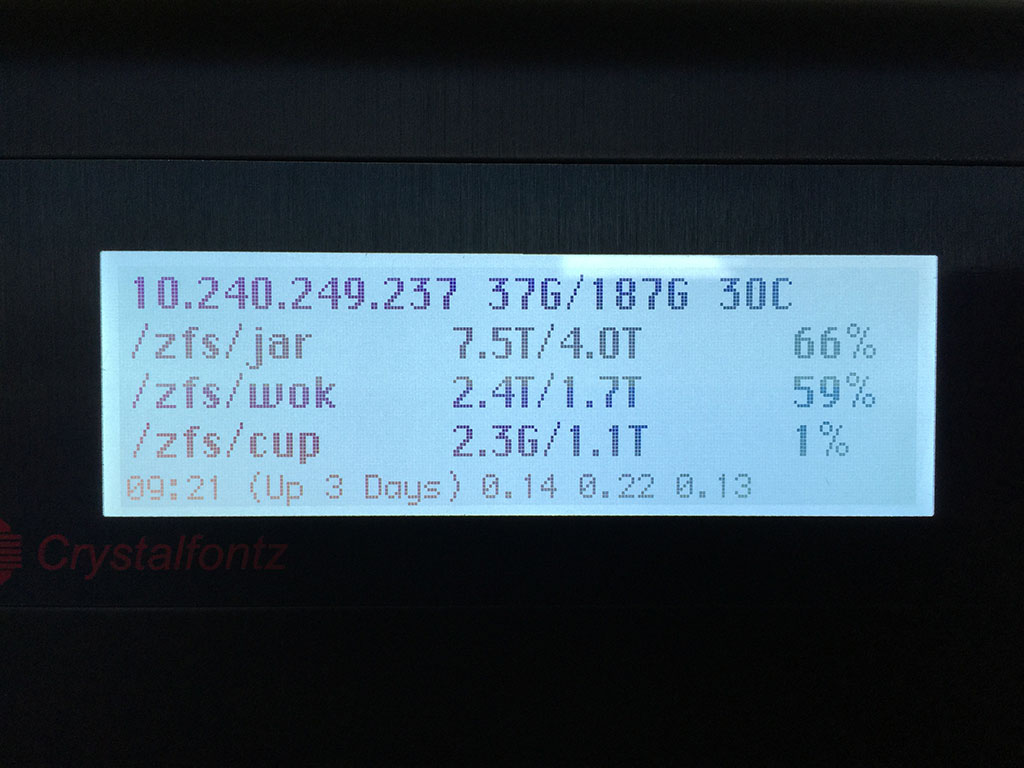
To use: Unzip, run "make" to build, and then check out "test_all_func.sh" to see how to use it. You'll need a microSD card with the included fonts copied on to it installed in your LCD for -everything- to work. The font names are hard-coded (more ugliness) because I couldn't figure out a better way to do it. The image below is from "lcd_update.sh" on my Debian fileserver. This script is run by cron every minute.
Implemented (some of these are from the original example code of course):
Control of the 4 LEDs: off, red, green, amber
Clear the LCD screen
Send lines of text to the LCD screen using the default built-in font. (4lx20c?)
Send lines of text to the screen using the custom fonts.
Control the backlight: off, low, med, high, max, default (between low and off)
Control the keypad backlight: off, low, med, high, max, default (between low and off)
For "Chicago" there's 3 columns defined that can be updated since it's not a fixed-width font.
As a side note, I'm not sure if it's bad to constantly be loading fonts in slot# or not. This program does it every time one of the custom fonts is used.
http://irix7.com/cfa835/sfpdispctl.zip
To use: Unzip, run "make" to build, and then check out "test_all_func.sh" to see how to use it. You'll need a microSD card with the included fonts copied on to it installed in your LCD for -everything- to work. The font names are hard-coded (more ugliness) because I couldn't figure out a better way to do it. The image below is from "lcd_update.sh" on my Debian fileserver. This script is run by cron every minute.
Implemented (some of these are from the original example code of course):
Control of the 4 LEDs: off, red, green, amber
Clear the LCD screen
Send lines of text to the LCD screen using the default built-in font. (4lx20c?)
Send lines of text to the screen using the custom fonts.
Control the backlight: off, low, med, high, max, default (between low and off)
Control the keypad backlight: off, low, med, high, max, default (between low and off)
For "Chicago" there's 3 columns defined that can be updated since it's not a fixed-width font.
As a side note, I'm not sure if it's bad to constantly be loading fonts in slot# or not. This program does it every time one of the custom fonts is used.
http://irix7.com/cfa835/sfpdispctl.zip
Looking for additional LCD resources? Check out our LCD blog for the latest developments in LCD technology.