
CF Tech
Administrator
We have published a sample Arduino Sketch that shows how to drive a Sitronix ST7920 based CFAG14432D 144x32 Graphic LCD.
The sketch demonstrates writing text and sample graphics to the ST7920 controlled LCD. With just a few primitive functions, you can create some nice looking displays:
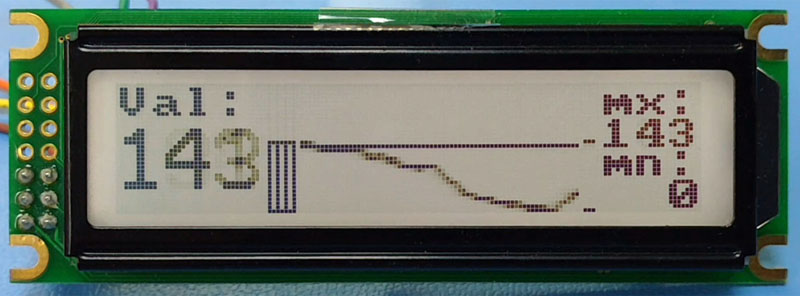
You can download the Arduino ST7920 LCD Demonstration Sketch, unzip it, and it is ready to upload.
We used a Seeeduino v4.2 . . . of course an Arduino Uno would work just as well.
Here is the overall connection: Seeeduino v4.2 + CFAG14432D + 10K pot:

These are the connections to the LCD, in SPI Mode:


Here are the connections to the Seeeduino v4.2 (connections are identical for an Arduino Uno):


Here is video showing the ST7920 sample sketch running:
The sketch demonstrates writing text and sample graphics to the ST7920 controlled LCD. With just a few primitive functions, you can create some nice looking displays:
You can download the Arduino ST7920 LCD Demonstration Sketch, unzip it, and it is ready to upload.
We used a Seeeduino v4.2 . . . of course an Arduino Uno would work just as well.
Here is the overall connection: Seeeduino v4.2 + CFAG14432D + 10K pot:
These are the connections to the LCD, in SPI Mode:
Here are the connections to the Seeeduino v4.2 (connections are identical for an Arduino Uno):
Here is video showing the ST7920 sample sketch running:
Looking for additional LCD resources? Check out our LCD blog for the latest developments in LCD technology.